
ReviewRail SMS Consent & Feedback Workflow
ReviewRail helps businesses collect customer feedback following a recent appointment, transaction, or service experience.
ReviewRail sends messages only on behalf of businesses that have an existing customer relationship with the recipient.
Step 1: Customer information and consent
Before any SMS messages are sent, the participating business collects the customer’s mobile phone number through its normal customer intake process. Depending on the business, this may occur through:
- Appointment scheduling or booking software
- CRM or practice management systems integrated with ReviewRail
- Point-of-sale or checkout systems
- Manual customer entry by the business owner or staff
For manual customer entry, ReviewRail requires the business to explicitly confirm that the customer has consented to receive SMS communications by selecting an SMS consent checkbox before the customer record can be submitted.
For integrated scheduling, CRM, and other connected systems, ReviewRail receives the customer’s mobile phone number and the SMS consent status from the connected platform. ReviewRail relies on this consent status and sends messages only for customers who have been identified by the business or integrated platform as having consented to receive SMS communications.
Each participating business is assigned its own dedicated ReviewRail phone number. All SMS consent requests, feedback requests, reminders, and customer replies are sent and received through that dedicated business number.
Step 2: Consent Request
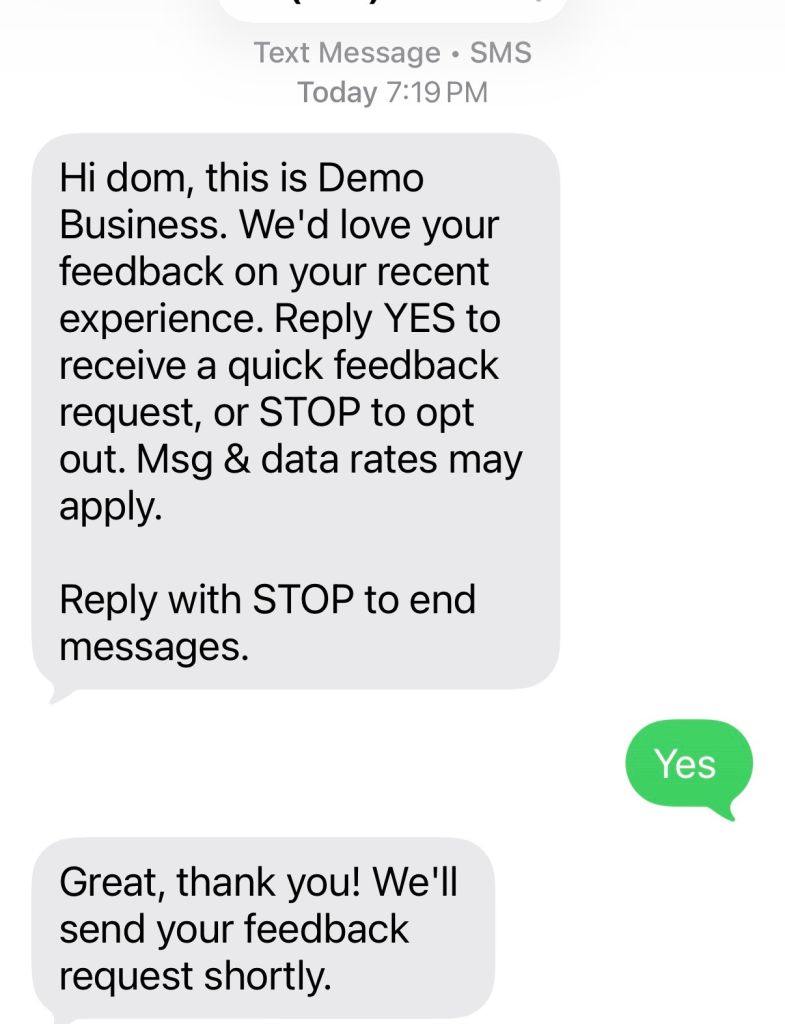
Before any feedback request is sent, the customer receives an SMS requesting consent.
Example:
“Hi [First Name], this is [Business Name]. We’d love your feedback on your recent experience. Reply YES to receive a feedback request, or STOP to opt out. Msg & data rates may apply.”
No feedback request messages are sent unless the customer affirmatively opts in.
Step 3: Customer Opt-In
The customer opts in by replying:
“YES”
Customers may also reply STOP at any time to opt out.
Step 4: Opt-In Confirmation
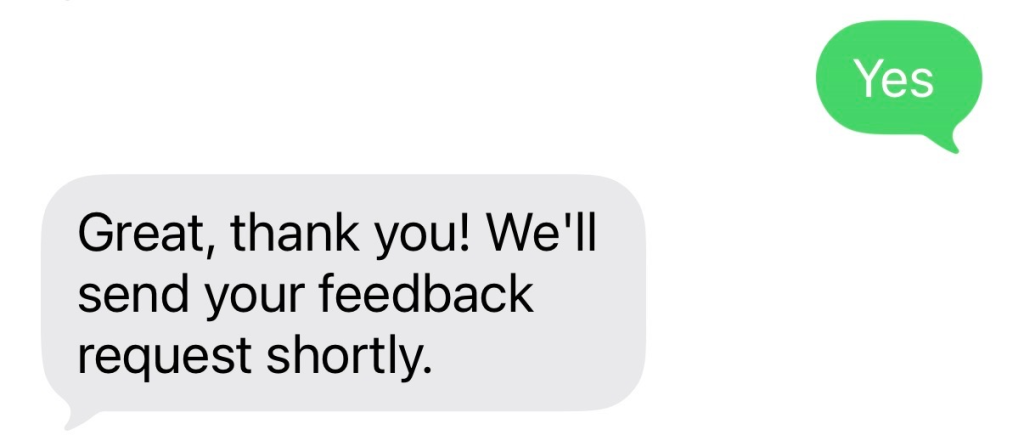
After the customer opts in, ReviewRail sends a confirmation message.
Example:
“Great, thank you! You’ll hear from us shortly.”
Step 5: Feedback Request
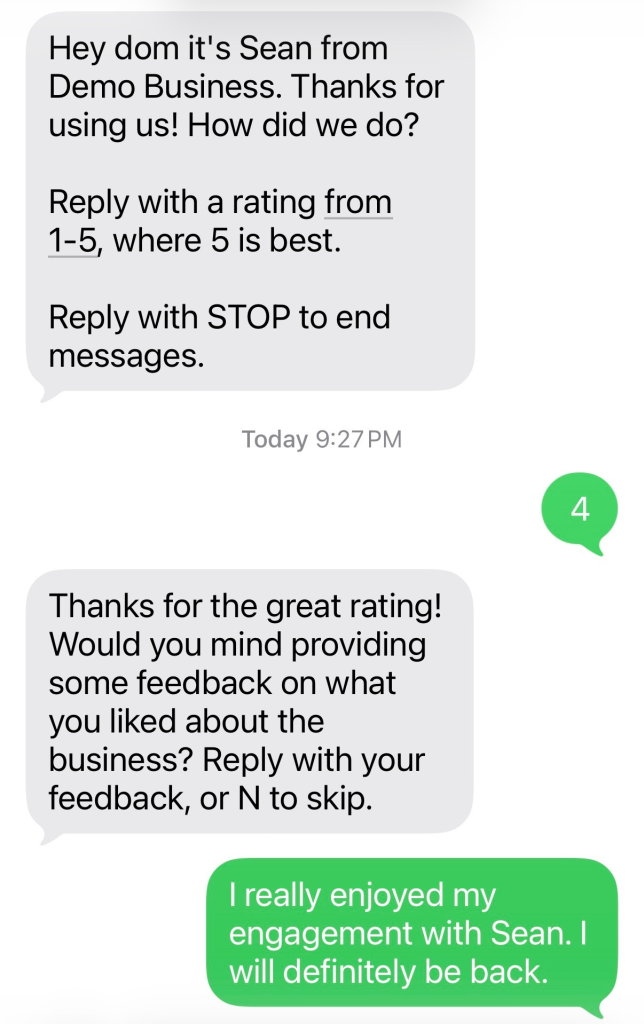
After a configurable delay determined by the business, the customer receives a feedback request.
Example:
“Hi [First Name], this is [Business Name]. Thanks for visiting us! How did we do?
Reply with a rating between 1–5, where 5 is best.
Reply STOP to unsubscribe.”
Step 6: Feedback Collection
Customers may respond with a rating between 1 and 5.
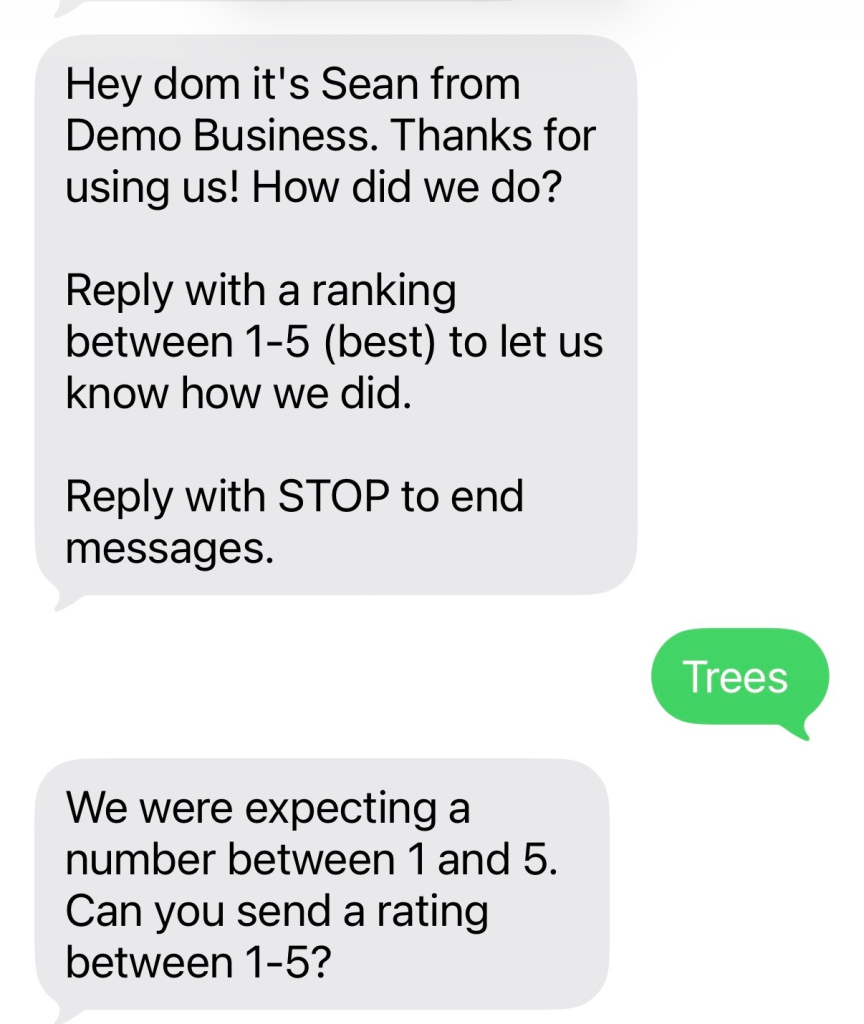
If a response is invalid, ReviewRail requests a valid rating before continuing.
Example:
“We were expecting a number between 1 and 5. Can you send a rating between 1–5?”
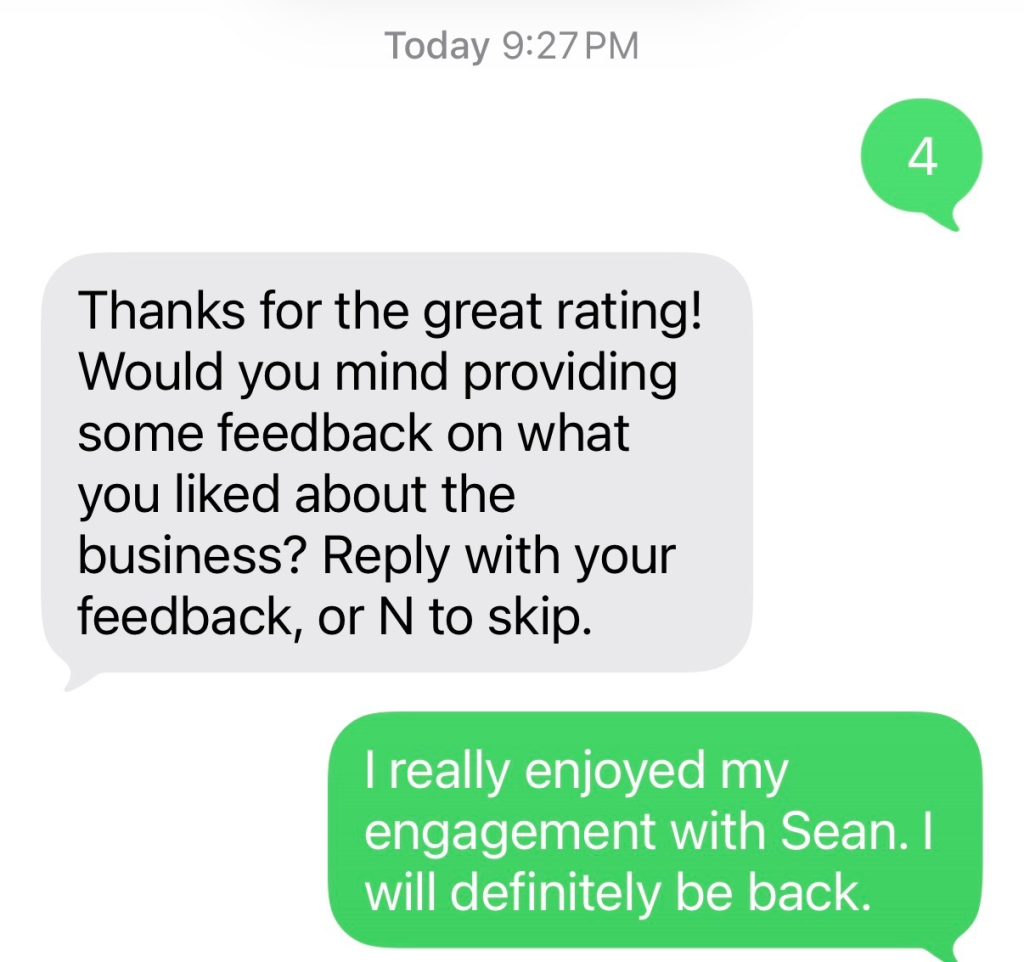
Step 7: Follow-Up Based on Rating
ReviewRail may send a follow-up message based on the customer’s rating.
Example:
“Thanks for the great rating! Would you mind providing some feedback on what you liked about the business? Reply with your feedback, or N to skip.”
Step 8: Review Request
For positive customer experiences, the customer may receive a request to leave a public review.
Example:
“Thanks for the great feedback! If you can, please leave us a review online:
[Review Link]”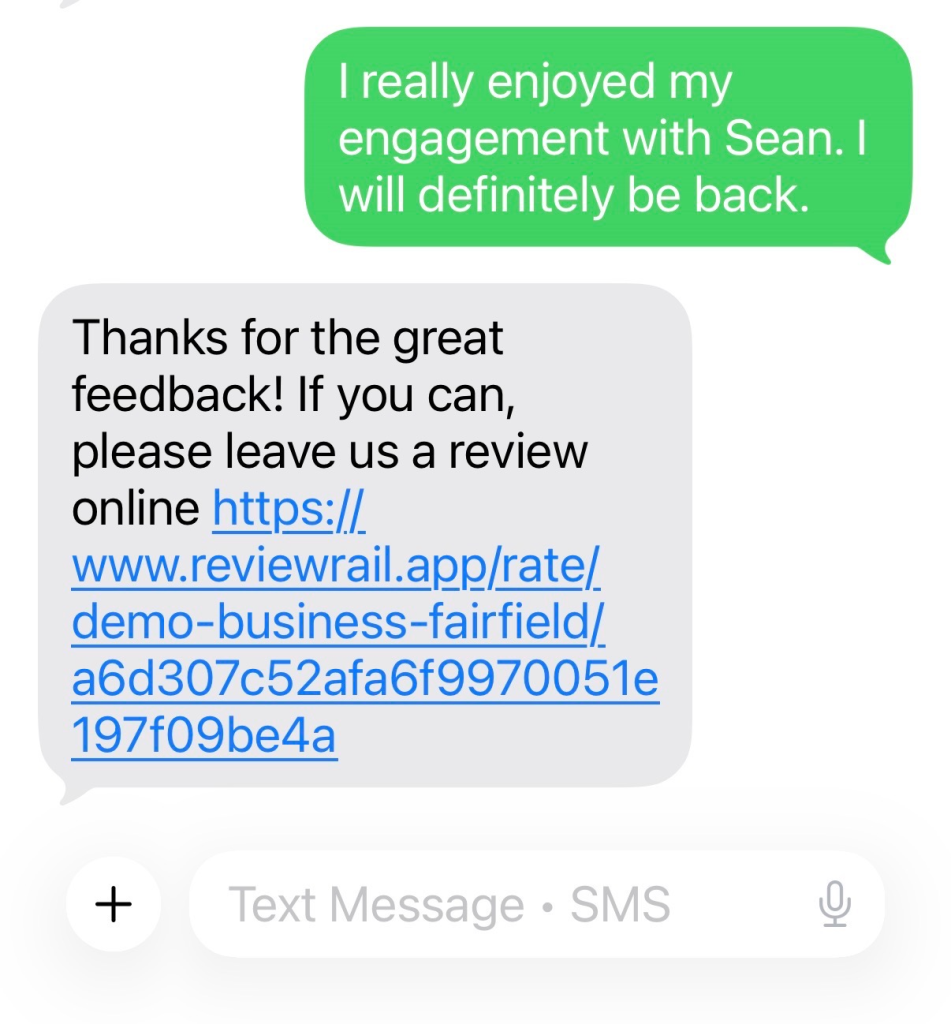
Message Frequency
Customers receive messages only in connection with a recent customer transaction or service experience.
A typical sequence may include:
- Consent request
- Opt-in confirmation
- Feedback request
- Feedback follow-up
- Review request
- Up to two reminder messages if the customer does not respond
Message frequency varies.
Opt-Out
Customers may reply STOP at any time to unsubscribe from future messages.
No additional messages are sent after a successful opt-out request.
Help
Customers may reply HELP for assistance.
Additional Information
Privacy Policy:
https://reviewrail.app/policy/privacy-policy
Terms of Service:
https://reviewrail.app/policy/terms-of-service